Deal of the Month - Yard Signs
10 Yards Signs For Only $190
Our September Deal of the Month is Yard Signs.

10 yard signs for only $190.00 standard hstakes are included.
Contact Information
phone: (406) 752-8720
Offer Valid: September 2, 2026 – October 31, 2026
Mastering Small Business Finances — Even If Numbers Aren’t Your Strength

Managing business finances can feel like steering a ship through fog—especially if numbers, taxes, or forecasts aren’t your natural comfort zone. Yet financial clarity isn’t optional; it’s the engine that sustains every other decision.

Whether you’re an early-stage founder or running a growing LLC, this guide distills practical ways to take control of your finances without becoming a full-time accountant.


Build Your Financial Visibility System

Your first job isn’t to master accounting—it’s to build financial visibility. That means knowing what’s happening and why.

Here’s a quick-start checklist:

Area

What to Track

Tools / Actions

Cash Flow

Inflows/outflows weekly

Use a cloud tool like QuickBooks or a simple Google Sheet

Recurring Expenses

Subscriptions, payroll, vendor costs

Audit quarterly with an expense dashboard

Taxes

Quarterly estimates & year-end prep

Work with a CPA who can set up automated tax savings

Financial Health

Debt ratio, profit margins

Review metrics monthly in your reporting system

A good visibility system doesn’t need to be complex. For instance, many small business owners in the U.S. choose to form an LLC for protection and simplicity. If you’re considering this structure, here’s a simple resource on how to form an LLC in Montana. It walks through formation steps, legal requirements, and how it can support better financial management.


Simplify — Then Automate

Finance isn’t about memorizing every detail. It’s about removing friction so decisions are faster and cleaner.

Start with these automation priorities:

  • Automate recurring payments (vendors, utilities, SaaS tools).
     

  • Use bank feeds that sync with your bookkeeping app.
     

  • Automate savings transfers—5% of monthly revenue into a reserve account.
     

  • Set payroll reminders or use a provider for stress-free compliance.
     

Automation doesn’t eliminate oversight—it eliminates guesswork.


Translate Financial Data Into Action

Numbers by themselves don’t guide growth. Insights do.
When reviewing your monthly or quarterly data:

Ask three translation questions:

  1. What’s driving our costs?
     

  2. Which activities bring the highest margin?
     

  3. What must change next quarter?
     

If you struggle with interpretation, pair your reports with an external CFO-on-demand service like Pilot or your accountant’s advisory package. These professionals specialize in helping non-financial founders see patterns before they become problems.


Establish a Financial Rhythm

Finance management improves with repetition, not intensity.

Adopt a simple rhythm:

  • Weekly (20 min): Review bank balance, check payments due.
     

  • Monthly (1 hour): Compare income vs. expenses, update goals.
     

  • Quarterly (2 hours): Meet your accountant or advisor to review strategy.
     

Tip: Put these sessions on your calendar like client meetings. You’ll make better decisions simply because you’re looking at real data regularly.

For additional planning frameworks, tools like Toggl Plan or Asana can integrate with your finance dashboards for seamless visibility.


Learn Just Enough Accounting to Be Dangerous

You don’t need a finance degree. You do need literacy.
Learn these core principles:

  • Profit ≠ Cash Flow. Profitable months can still be cash-negative if receivables lag.
     

  • Assets vs. Liabilities. Know what you own and what you owe.
     

  • Break-even Point. Understand the sales volume required to cover fixed costs.
     

If you prefer interactive learning, consider resources like Coursera’s Financial Accounting Basics for small business owners.


When to Bring in Professional Help

Some owners try to DIY too long. The moment you see any of the following, hire professional guidance:

  • Annual revenue exceeds $200k
     

  • You’re managing payroll or inventory
     

  • You’re unsure about tax structuring or compliance
     

A part-time bookkeeper or fractional CFO will pay for themselves by preventing costly mistakes and helping you spot growth levers. Platforms such as Bench or Upwork can help you find qualified specialists.


Mini-Checklist: Keeping Your Finances on Track

  • unchecked

    Separate personal and business accounts

  • unchecked

    Review cash flow weekly

  • unchecked

    Track every expense

  • unchecked

    Set aside taxes automatically

  • unchecked

    Build a 3-month emergency reserve

  • unchecked

    Schedule quarterly financial reviews

  • unchecked

    Use professionals for taxes and payroll


Managing Finances When It’s Not Your Expertise

If you’re not a numbers person, delegate the math—but own the meaning.
Your responsibility isn’t to reconcile every line item; it’s to ask better questions:

  • “What’s the story behind this number?”
     

  • “If I double marketing spend, what happens to profit?”
     

  • “What assumptions is this forecast based on?”
     

Asking smart questions keeps you in control even when someone else handles the spreadsheets.


FAQ: Common Financial Questions for Non-Finance Founders

Q1: How often should I check my financials?
Weekly for cash flow, monthly for reports, quarterly for strategy. Consistency > complexity.

Q2: What’s the best accounting method?
Accrual if you invoice clients or manage inventory; cash if transactions are immediate.

Q3: Should I hire a CPA or a bookkeeper first?
Start with a bookkeeper to manage day-to-day entries, then a CPA for tax strategy.

Q4: How much should I save for taxes?
Generally 25–30% of profit, transferred into a separate savings account.

Q5: Do I need to form an LLC to manage finances better?
Not necessarily—but an LLC adds legal protection and simplifies tax separation between personal and business accounts.


Financial Health Snapshot Table

Metric

Ideal Benchmark

Why It Matters

Gross Margin

40–60%

Indicates profitability before expenses

Operating Cash Flow

Positive for 3+ months

Shows financial sustainability

Debt-to-Income Ratio

< 40%

Measures manageable leverage

Emergency Fund

3–6 months of expenses

Protects against downturns

Accounts Receivable Aging

< 30 days

Maintains steady cash flow

Tools like Wave Accounting can help track these KPIs in real time with minimal setup.


Clarity Beats Complexity

You don’t need to love spreadsheets—you need visibility, rhythm, and the right advisors.
Start small, automate early, review regularly, and focus on decision-making instead of data entry.

Financial clarity isn’t a talent—it’s a habit. Build the system once, and it will serve you for years.

 
Contact Information
Starting a Business in Your Community: A Complete Step-by-Step Guide for Local Entrepreneurs

Launching a business in your local area is both exciting and rewarding. It allows you to solve problems close to home, create local jobs, and build something that directly benefits your community. However, success requires more than a good idea — it demands clear planning, legal compliance, and community alignment.

This guide walks you through each stage of the process, from concept to growth — designed for real-world founders ready to make a local impact.


TL;DR

Starting a business locally means identifying a genuine community need, structuring your operations legally, and building a foundation for sustainable growth. Key steps include:

  • Researching your market and audience.
     

  • Writing a clear business plan.
     

  • Registering your business legally and securing local permits.
     

  • Building community partnerships.
     

  • Tracking early feedback and adjusting fast.


1. Begin with Market Insight and Community Alignment

Before you print your first business card, take the time to understand your local landscape. Study neighborhood trends, gaps in available services, and pain points within your community.

Checklist:
✅ Conduct surveys or informal interviews with local residents.
✅ Visit similar local businesses to observe their strengths and weaknesses.
✅ Identify underserved groups or unmet needs in your area.
✅ Verify demand using online community tools like Nextdoor.

Tip: Search local directories and public economic reports to validate opportunities. You can use free tools like Census Business Builder or Google Trends.


2. Develop a Business Plan that Matches Your Local Goals

Your business plan acts as both roadmap and anchor. It guides decision-making, attracts investors, and clarifies how you’ll serve your audience.

Include:

  • Mission Statement: How your business benefits your community.
     

  • Market Analysis: Insights from your neighborhood research.
     

  • Operations Plan: Hours, staffing, and supply chains.
     

  • Financial Projection: Startup costs, revenue models, and break-even analysis.
     

  • Marketing Strategy: How you’ll build awareness locally and digitally.

You can use planning templates from SCORE or BPlans to accelerate your draft.


3. Ensure Legal Compliance and Licensing

Every new venture must comply with local, state, and federal regulations. Entrepreneurs often underestimate the importance of licensing and permits — a misstep that can delay openings or cause fines.

Using a business license report pricing tool early in your setup process simplifies compliance. These reports compile all necessary local, state, and industry-specific forms in one place — saving you days of research and reducing risk of oversight.

Checklist:

  • Register your business name (DBA or LLC).
     

  • Get an EIN (Employer Identification Number) from the IRS.
     

  • Apply for state and local licenses.
     

  • Understand zoning laws and home business restrictions.
     

  • Verify insurance requirements.

Also visit IRS.gov Small Business Portal and your local chamber of commerce for tailored resources.


4. Choose the Right Business Structure

The way you structure your business determines your taxes, liability, and paperwork.

Type

Best For

Liability Protection

Tax Setup

Sole Proprietorship

Freelancers, solo operators

None

Personal income

LLC

Startups, small businesses

Yes

Pass-through taxation

Corporation (C/S)

Growth-focused companies

Yes

Separate entity

Partnership

Two or more co-owners

Shared

Personal income

Resource: Compare entity options with U.S. Small Business Administration (SBA).


5. Secure Financing Strategically

Few businesses start on savings alone. Evaluate your funding options early.

Options include:

  • Microloans via local banks or credit unions.
     

  • Community grants or development programs through organizations like Grants.gov.
     

  • Crowdfunding through Kickstarter or Indiegogo.
     

  • Angel investors and local investment groups.
     

  • SBA-backed loans, which often have lower interest rates.

Keep detailed records — lenders and investors expect evidence of community need and operational viability.


6. Build Local Visibility and Partnerships

Your community is your first customer base and your long-term support system.

How to build trust and awareness:

  • Partner with nonprofits, schools, or local events.
     

  • Join your regional chamber of commerce.
     

  • Use local media — radio, newsletters, and regional podcasts.
     

  • Create a digital footprint using Google Business Profile and Yelp for Business.

Pro tip: Consistency matters. Use social media tools like Canva for professional posts and Mailchimp for email campaigns.


7. How-To: Launch and Operate Effectively

Follow this step-by-step startup flow:

  1. ✅ Finalize your name, domain, and branding.
     

  2. ✅ Register your business and open a bank account.
     

  3. ✅ Obtain all licenses and permits.
     

  4. ✅ Secure funding and set up bookkeeping.
     

  5. ✅ Launch a simple website and Google listing.
     

  6. ✅ Host a soft launch event for community feedback.
     

  7. ✅ Optimize based on early response.

Use tools like QuickBooks or Wave Accounting to manage finances efficiently.


8. Track, Adapt, and Grow

Growth depends on tracking both performance metrics and community sentiment.

Metrics to monitor:

  • Monthly revenue and profit margins.
     

  • Customer satisfaction and online reviews.
     

  • Marketing ROI (return on investment).
     

  • Retention rate (repeat customers).

Explore analytics from Google Analytics, and survey feedback with Typeform.


Glossary

EIN: Employer Identification Number for tax purposes.
DBA: “Doing Business As” — used when operating under a different trade name.
LLC: Limited Liability Company — provides personal liability protection.
Zoning Laws: Local regulations that govern business operations by area.
ROI: Return on Investment — measures profit relative to spending.


FAQs

Do I need a business license even for home-based businesses?
Yes — many home-based ventures require zoning approval and specific permits. Always confirm with your city or county office.

How long does it take to launch a local business?
Typically 30–90 days, depending on permit processing, financing, and location setup.

How much should I budget for startup costs?
Expect anywhere from $1,000–$10,000 for small service-based businesses. Brick-and-mortar setups may exceed $25,000.

What’s the biggest mistake new founders make?
Skipping early legal and compliance steps. Address licensing, taxes, and structure before focusing on marketing.


Conclusion

Starting a business in your community is one of the most direct ways to create local impact. By combining insight, compliance, and collaboration, you transform your idea into a sustainable venture that both serves and strengthens your local economy. Every thriving business begins the same way — with a single, well-structured step forward.


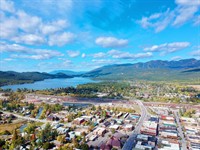
Discover the vibrant community of Whitefish, Montana, where adventure meets opportunity! Visit the Whitefish Chamber of Commerce to explore local businesses, events, and the stunning natural beauty that makes Whitefish a must-see destination.
Contact Information
Before the Slow Season: How Whitefish Businesses Can Build a Financial Safety Net

Building a financial safety net means having cash reserves, credit access, and a written plan — before you need any of them. For Whitefish businesses that run on ski traffic from December through March and summer visitors starting in June, the shoulder months are the real test. The gap between businesses that weather slow seasons and those that don't often comes down to decisions made months in advance.

Cash Flow: The Real Threat Even When Profits Look Fine

If revenue is coming in and the books look healthy, it's easy to assume you're covered. But profitable and cash-flow-safe aren't the same thing.

According to SCORE, cash flow problems drive 82% of small business failures — making it the single leading cause. A profitable business can still run out of cash when a large bill hits before a payment arrives, or when a slow week stretches into a slow month. Profit is a long-run number. Cash flow is what you need on Tuesday.

Track your position weekly, not just at month-end. If a gap is forming heading into May, act before it opens.

Bottom line: Profitability is a destination; cash flow is the fuel that gets you there.

Build Your Reserve and Establish Credit Early

A dedicated business emergency fund — kept separate from your operating accounts — is the foundation. For Whitefish businesses with seasonal revenue patterns, three months of fixed costs is a floor; six months is the safer target for businesses tied to ski or summer traffic. Start small: automate a fixed transfer after each strong revenue week and build steadily.

In parallel, apply for a business line of credit — a pre-approved facility you draw on and repay as needed — while your finances look strong. Lenders extend credit to businesses that appear not to need it immediately. The Federal Reserve's 2024 credit survey found that 75% of small employer firms cited rising costs as their top challenge and 51% reported uneven cash flows. Having credit headroom before a slow season is the difference between a manageable gap and a crisis.

In practice: Apply for your line of credit during your strongest quarter — options narrow once you're already stretched.

Don't Assume Disaster Relief Arrives Quickly

Most business owners treat government disaster loans as a backstop: if something serious happens, apply for an SBA loan and be back on your feet within a few weeks. That assumption is worth correcting before you need to rely on it.

Business disaster recovery is far slower than most owners expect — a 2026 SBA interim final rule found the average recovery from a major hurricane takes 14 months. The SBA does offer disaster loans up to $2 million at low interest, but they require documentation, take time to process, and don't cover losses incurred before the official disaster declaration.

Government assistance supplements your reserves. It doesn't replace them. If an SBA loan is your primary backup plan, you're depending on a timeline you can't control.

Insurance, Business Structure, and Personal Liability

Two protections that work together — and both are worth reviewing before your next crisis.

Carry at minimum: general liability, commercial property, and business interruption insurance, which covers lost income and fixed expenses while you're unable to operate. Most owners underestimate how long recovery takes and underinsure accordingly.

On structure: a sole proprietorship leaves personal assets exposed to business debts. An LLC or S-corp creates legal separation. Avoid personal guarantees on business loans where possible — they override your entity's protection and make you personally liable regardless of your structure.

Before your next renewal, confirm each of these:

  • [ ] General liability coverage is current and sized to your actual exposure

  • [ ] Business interruption coverage reflects your real annual revenue

  • [ ] Business entity is LLC or S-corp, not sole proprietorship

  • [ ] Personal guarantees on active loans are documented and reviewed

  • [ ] Business and personal bank accounts are fully separate

Organize Financial Records You Can Actually Use

Clear records make everything else possible — loan applications, insurance claims, and CPA conversations all depend on documents you can find and share quickly.

At minimum, maintain monthly cash flow statements, P&L reports, and key vendor contracts in a consistent format. Saving documents as PDFs preserves formatting across devices and makes sharing with accountants or lenders straightforward. If you have agreements or reports in Word format, you can learn how to convert Word to PDF using Adobe Acrobat's free online converter — a browser-based tool that processes DOC, DOCX, and RTF files without requiring any software download. Once standardized, run a monthly review to catch cost trends before they become emergencies.

When Revenue Dips: Have a Plan Already Written

Picture a lodging business near Whitefish Mountain. A low-snow January cuts bookings by 30%. The prepared owner already has a document: which costs are fixed, which vendors have flexible terms, and which subscriptions pause first. The unprepared owner improvises under pressure — and improvised decisions tend to cost more.

SCORE advises that diversifying beyond your business income creates a critical financial buffer during slow periods. At the business level, the same logic applies: recurring revenue streams — memberships, retainers, service contracts — smooth the peaks and valleys that single-sale businesses absorb unevenly. Write the plan before you need it.

Build Your Safety Net Through the Chamber

The Whitefish Chamber of Commerce connects 550+ member businesses with networking, advocacy, and community resources. If you're building your financial foundation, the Chamber's one-on-one networking opportunities put you in direct contact with members who have navigated Whitefish's seasonal patterns — including which local lenders understand seasonal cash flow and which insurance brokers know the mountain-town market. That knowledge travels fastest through a conversation.

Frequently Asked Questions

How much should a Whitefish business keep in an emergency reserve?

Three to six months of fixed operating expenses — six months for businesses tied to ski or summer traffic. Start with one month if you're building from zero, and automate small transfers after strong revenue weeks. Keep the fund in a separate account you treat as untouchable for normal operations.

Start at one month; build to six months for seasonal businesses.

Does business interruption insurance cover a slow booking season?

No — it's triggered by a covered physical event, like fire or storm damage, not by an economic downturn or a low-snow winter. Cash reserves and a line of credit handle predictable slow-season gaps; insurance handles sudden, event-driven losses your reserves weren't sized to absorb.

Insurance covers sudden events; reserves cover predictable slow seasons.

If I have a personal guarantee on a business loan, does my LLC still protect me?

A personal guarantee overrides your LLC's protection for that specific debt — you're personally liable regardless of your entity structure. Review every loan agreement before signing and push back on guarantee requirements where you have leverage. Existing guarantees are worth documenting so you know your actual personal exposure.

A personal guarantee cancels your LLC's protection for that debt.

What's the fastest first step if I don't have any reserves right now?

Open a separate business savings account this week and set up an automatic transfer — even $100 per week — from your operating account after every strong revenue day. The amount matters less than the habit. Even one month of fixed costs changes your options significantly when a slow season or unexpected expense arrives.

A small automatic transfer beats a large goal you never start.

 
Contact Information
Before Visitors Book, They Browse: Visual Branding Essentials for Whitefish Businesses

Most visitors to the Glacier National Park region make travel decisions before they ever arrive. They search, compare, and scroll — forming opinions about restaurants, outfitters, and shops based entirely on what they see on a screen. For businesses in Whitefish, that makes visual branding — the consistent use of images, colors, typography, and logos across every platform — often the first and only chance to make a case for yourself. A foundational industry study found that consistent branding raises revenue by up to 33%, yet 81% of companies still struggle with off-brand content, according to Lucidpress's State of Brand Consistency Report — and that gap is costing businesses customers they never knew they lost.

Photos Are Making the Call Before You Do

When someone reads a review of a local business, the photos are doing as much work as the star rating. Photos drive local purchase decisions — 92% of consumers look at photos when reading local business reviews at least sometimes, with two-thirds doing so often or always, according to BrightLocal's 2024 Local Consumer Review Survey. In a destination-driven market like Whitefish, where a visitor might compare five guide services or four coffee shops in a single afternoon of browsing, the quality and consistency of your visuals can be the tiebreaker.

Outdated images, inconsistent lighting, or stock photos that don't reflect your actual space or team erode trust before anyone reads a single word.

A Missing Website Is a Closed Door

Consumer expectations for digital presence are clear. While 64% of Americans actively seek to support local businesses, digital gaps lose local customers — 31% of shoppers have decided against supporting a small business specifically because it lacked a website, according to Adobe Express's 2024 small business consumer study. A site that exists but relies on weak or inconsistent visuals faces a similar trust penalty.

For Whitefish businesses serving tourists who research heavily before travel, polished visuals aren't optional. They're the standard visitors expect.

Your Logo Is the Foundation, Not the Finish

Many business owners check branding off their list once they have a logo. That's usually too soon. Build your brand beyond the logo — a logo is just the starting point for an identity package that should carry through business cards, letterhead, signage, and website, all designed with the target audience in mind.

Every customer touchpoint is either reinforcing the same brand or quietly diluting it.

In practice: Run a quick scan across your Google Business profile, Facebook page, and website. If the colors, photos, and typography don't feel like they come from the same business, that's the gap to close first.

Consistent Brands Get Seen More

The visibility advantage of consistency is measurable. Consistent brands earn more visibility — brands with consistent presentation are 3–4 times more likely to enjoy strong brand visibility than those with inconsistent presentation, according to a Lucidpress survey of more than 400 brand management experts. In a crowded tourism market where visitors scan dozens of options, that visibility gap is the difference between making the shortlist and getting scrolled past.

Quality Images Don't Just Look Better — They Convert

Image quality has a direct impact on sales. Quality images lift conversion rates by 63% compared to lower-quality visuals, and people retain up to 65% of product information three days after seeing it presented visually rather than as text alone, according to WinSavvy's 2024 visual content analysis. For Whitefish retailers, restaurants, and experience providers with online booking or e-commerce, this isn't abstract — it shows up in reservations and revenue.

Professional Visuals Without the Photo Shoot

One of the more significant shifts in visual branding is the arrival of AI-powered image tools that make professional-quality portraits and branded visuals achievable without a photographer or a design budget. Adobe Firefly is an AI image generation platform that produces polished headshots and custom visuals from uploaded photos or text prompts; its AI portrait generator generates commercially licensed outputs suitable for websites, social media, and marketing materials — no technical skill required.

For chamber members who need current profile photos for member directories, speaker bios, or team pages, tools like this reduce both the cost and the coordination involved. Keeping visuals up to date no longer requires scheduling a shoot or committing a significant budget.

How the Chamber Can Raise the Visual Standard

The Whitefish Chamber of Commerce connects member businesses with marketing exposure and promotional opportunities — and helping members invest in the visual side of their presence is a high-leverage place to put that support. A few practical ways chamber leadership can back stronger visual storytelling across the business community:

  • Feature well-branded members prominently in Visitor Information Center materials and digital promotions, creating a visible incentive for businesses to invest in their visuals

  • Host a visual branding workshop covering logo consistency, photo standards for review platforms, and image quality guidelines for booking sites

  • Establish a simple style guide for chamber-co-branded content so member promotions look cohesive when promoted together

  • Surface affordable tools — including AI-powered image platforms — through member benefit communications and newsletters

Whitefish already operates in one of Montana's most visually compelling settings. The goal is making sure that when visitors find your business online, what they see reflects the quality of the experience they'll have when they arrive. If you're a chamber member looking to sharpen your visual presence, connect with the Whitefish Chamber to explore what marketing support and member resources are available.

Contact Information
The Best AI Image Upscalers for Whitefish Tourism, Real Estate, and Photography

Whitefish sells a view. As a gateway to Glacier National Park and a resort town in its own right, its businesses live and die on imagery: a lodge's website hero shot, a real estate listing for a mountain-view property, a photographer's gallery print, a tourism brochure that has to hold up on a billboard and on a phone. And the images that best capture that scenery are not always captured at the resolution the job needs. A great shot from an older camera, a frame cropped tight to a detail, or an archived photo from a past season can look soft the moment it is enlarged for print or a high-resolution screen.

That is the exact problem AI image upscalers solve. They enlarge an image while enhancing sharpness and detail, so a photo that was too small to use becomes usable. This guide ranks the tools worth considering for a Whitefish tourism business, resort real estate team, or working photographer, with honest notes on where each one fits.

What does an AI image upscaler actually do?

An AI image upscaler enlarges an image and adds detail and sharpness in the process, rather than simply stretching the pixels and blurring them. Traditional resizing makes a small image bigger and softer. An AI upscaler predicts and reconstructs fine detail as it enlarges, which is what makes a modest photo hold up when it is printed large or displayed on a high-resolution screen. The practical uses cluster around two needs: enlarging small images so they can be used at a bigger size, and restoring lower-resolution or older photos for print and web.

For a Whitefish business, both needs are common. A tourism operator wants an archived summer photo to run as a full-width web banner. A real estate team needs a phone snapshot of a room to look crisp in a printed listing sheet. A photographer wants to sell a large print from a frame that was shot smaller than the buyer now wants. In each case the difference between a soft enlargement and a sharp one is the difference between an image you can charge for and one you cannot.

How these tools were ranked for local businesses

The ranking reflects editorial judgment for a specific reader: a Whitefish tourism, real estate, or photography business that needs dependable results without a research project. Four things carried the most weight.

  • Detail quality when enlarging. Whether the tool genuinely reconstructs sharp, believable detail rather than adding artifacts.

  • Fit for print and restoration. Whether the output holds up at print sizes and can rescue older or lower-resolution photos.

  • Commercial-use safety and workflow. Whether the output is cleared for commercial use and whether the tool fits the software a team already runs.

  • Cost and access posture. How the pricing is structured (as of 2026) and how easily a small team can get started.

No scores, no star ratings, no invented test results. The order below is a recommendation on the merits, and each tool has a scenario where it is the right choice.

AI image upscalers compared at a glance

Tool

Best for

Detail and print quality

Commercial-use posture

Pricing posture (2026)

Adobe Firefly

Teams already in Creative Cloud that need commercially safe enlargements

Strong; enhances detail while enlarging, good for print and restoration

Designed for commercial use; commercially safe output

Free credit-based tier, paid plans add credits

Topaz

Photographers who need benchmark print-ready quality

Excellent; face-recovery model and RAW support

Capable; confirm terms for client work

Paid (one-time and subscription)

Let's Enhance

A low-cost browser entry point with batch processing

Good for web and general use

Capable; confirm terms for client work

Subscription credits

Upscayl

Free, local upscaling with no uploads

Good; open-source models, runs on your GPU

Open source; check output use terms

Free (open source)

Canva

Quick enhance if you already work in Canva

Convenient for social and web sizes

Check asset terms

Free tier plus paid

Adobe Firefly: the best overall fit for teams already in Creative Cloud

Adobe Firefly is the strongest default for a Whitefish business that already works in Photoshop and Lightroom and needs enlargements it can use in paid work without worrying about the rights. Firefly's image upscaler enlarges images while enhancing sharpness and detail, which is exactly what a soft archived photo or a tightly cropped frame needs before it goes to print or onto a full-width web banner. It is well suited to enlarging small images and restoring lower-resolution photos, the two jobs a local tourism, real estate, or photography team runs into most.

Its advantage for professional use is the combination of commercially safe output and a workflow that already lives where your other editing happens. Because Firefly is built for commercial use, a resort real estate team or tourism operator does not have to pause and wonder whether an enlarged image is cleared for a paid listing or campaign. And because it works inside Creative Cloud, an upscaled photo moves straight into Photoshop for finishing rather than bouncing between apps. For a team that wants a free way to start, Firefly offers a credit-based free tier. When you have a photo that needs to hold up at size, Adobe's AI Image Upscaler is the most practical starting point on this list. The honest limit: a photographer chasing the absolute top of print quality on demanding files may still want a dedicated desktop tool as well.

Topaz: best for benchmark print-ready quality

Topaz, through its Gigapixel application, is the pick for a Whitefish photographer whose whole business is print quality. It is a desktop upscaler with a dedicated face-recovery model and RAW support, and it is widely regarded as the benchmark for photographers who need the largest, cleanest enlargements a file can give. If you sell large landscape prints of the Glacier area or produce gallery work where every detail counts, Topaz is built for you. The tradeoff is that it is a paid desktop application (one-time and subscription options as of 2026) and a more specialized tool than a general marketing team needs. Confirm the terms for client work as you would with any tool.

Let's Enhance: best low-cost browser entry point

Let's Enhance is a browser-based upscaler with batch processing, which makes it a sensible low-cost entry point for a team that wants to enlarge images without installing anything. Batch processing is genuinely useful when a tourism operator has a folder of photos to bring up to size at once rather than one at a time. It is priced on subscription credits (as of 2026). It is a solid general-purpose web option; for the most demanding print work, a dedicated desktop tool will go further. Confirm commercial-use terms before output goes into paid work.

Upscayl: best free, local option with no uploads

Upscayl is a free, open-source upscaler that runs locally on your own GPU, which means no subscription and no uploading your images to a server. For a budget-conscious Whitefish business, or a photographer who prefers to keep files on their own machine, that is a real advantage. The tradeoff is that it runs on your hardware, so results and speed depend on your computer, and there is no support desk if something goes wrong. Because it is open source, check how the output can be used before putting it into commercial work.

Canva: best if you already work in Canva

Canva includes a quick image-enhance feature inside its design environment, which is convenient if your team already builds social posts and marketing layouts there. For bringing a web-sized image up a notch before it goes into a post, it is fast and requires no new tool. It is not aimed at demanding print enlargement or photo restoration, so treat it as a convenience feature rather than a dedicated upscaler. Check the terms on any specific asset before commercial use.

Which tool should a Whitefish business choose?

The right choice depends on the job in front of you. A short guide:

  • You already run Creative Cloud and need rights-clean enlargements for paid work: start with Adobe Firefly.

  • You sell large prints and need benchmark quality: Topaz.

  • You want a cheap web tool with batch processing: Let's Enhance.

  • You want a free, local option and keep files on your own machine: Upscayl.

  • You already design in Canva and just need a quick bump: Canva.

What about commercial rights and licensing?

Even with upscaling, where you start from a photo you already own, the commercial-use terms of the tool still matter, so it is worth a moment of care. When an enlarged image goes into a paid listing, a tourism campaign, or a print you sell, that is commercial use, and the tool's terms govern what you can do with the output. This is where Firefly's posture is a genuine convenience: its output is designed for commercial use, so a Whitefish real estate or tourism team gets a straight answer without digging through fine print. For every other tool here, read the current terms before the image goes into paid work. A short check at the start is far cheaper than a problem after publication.

A quick checklist before you commit

  • Confirm the commercial-use terms for any tool whose enlargements will appear in paid work.

  • Test on a real photo from your own library, a Glacier-area landscape or a listing interior, not a demo file.

  • Check the output at the actual size you need, whether that is a print or a full-width banner.

  • Start on a free tier or trial before you pay for seats or a license.

  • Keep a person reviewing the result; upscalers can add detail that is not faithful, so a human eye still matters.

For a Whitefish tourism business, resort real estate team, or photographer, the practical win is simple. The image that captures the mountain view is worth using at full size, and an upscaler is what lets a smaller or older frame get there. Any of these tools can close that gap, and the right one is the one that fits the work you actually sell.

Sources: Adobe, 'AI Image Upscaler, Adobe Firefly,' 2026; Topaz Labs, 'Gigapixel,' 2026; Let's Enhance, 'Image Upscaler,' 2026; Upscayl, 'Free and Open Source AI Image Upscaler,' 2026; Canva, 'Image Enhancer,' 2026. Product capabilities and pricing posture are current as of 2026 and should be verified at publication.

 
Contact Information
Why Whitefish Tourism Marketers Are Reaching for Retro Pixel Art

Whitefish has a strong, specific identity to protect. A mountain resort town in northwest Montana's Flathead Valley, a gateway to Glacier National Park and a ski destination with a genuine character all its own, it is exactly the kind of place whose marketing should feel distinctive rather than interchangeable with every other outdoor destination working from the same library of dramatic landscape photography. Retro visual styles, and pixel art in particular, have become a surprisingly effective way to stand out — nostalgic without being tied to any one decade, instantly readable on a phone, and carrying a playful, approachable warmth that polished scenery photographs do not.

The obstacle has always been production. Authentic pixel art is built on a grid, placed more or less block by block, and doing it by hand is slow, skilled work few marketers have any reason to have learned.

Why the style works for a mountain town

Pixel art is built on a deliberately limited palette and a coarse grid, which sounds like a limitation and is in fact why it works for promotion. It reproduces cleanly at almost any size — a tiny social avatar, a large printed banner — because there is no fine detail to turn to mush when it is scaled. It reads clearly at a glance, which is what a promotional image must do as somebody scrolls past. And it signals honestly that it is an illustration, sidestepping the awkward question of whether a stylised image is pretending to be a real photograph of a real place — a line that matters especially when the real place is as photographed and as beloved as this one.

The style also renders mountain-town motifs — a peak, a chairlift, a pine, a trout — in a way that reads as playful and current rather than as a tired heritage cliché, which is exactly the balance a place with deep outdoor traditions and a young, active visitor base wants to strike. There is a demographic bonus, too: the retro-gaming aesthetic reads as knowing and current to a younger audience while landing as warm nostalgia for an older one, a rare span for a single visual language, and useful for a town that draws families, young powder-seekers and long-time visitors alike.

Generating instead of placing by hand

The change is in where the work starts. A tool that lets a marketer create pixel graphics online from a written description produces grid-based artwork from a written prompt, with control over the palette and the level of detail. You describe the subject and the feel — a retro ski-poster motif, an 8-bit mountain scene, a two-colour trail badge — and get something to react to rather than a canvas to fill. What used to take an evening of careful pixel-placing becomes a few minutes of describing and choosing, and a marketer can move through a dozen visual directions in the time it would once have taken to brief a designer on one, which changes not just the cost but the ambition of what a small team can attempt.

The output is a strong starting point rather than a finished asset. The value comes from refining it — cleaning up the artwork, dropping it into a layout — which a generator that hands off cleanly into everyday design tools makes easy, so a rough idea becomes something ready to publish in an afternoon rather than a week.

Honesty and the technical basics

Keep generated work clearly illustrative and do not present a generated scene as a photograph of a real Whitefish view — the credibility of a real destination is worth protecting. On the production side, pixel art must be enlarged with nearest-neighbour interpolation, not the smooth scaling most software applies by default, or the hard edges blur into the muddy look the style exists to avoid; keep the palette deliberately limited; and keep the words out of the generated image, adding them as real type where you control the spelling.

Consistency turns a graphic into an identity

One pixel graphic is a novelty; a consistent set is a look, and a look is what a destination is trying to build. Settle on one treatment — a fixed palette, a level of detail, a recurring motif — write the description down, and apply it across a season, so a visitor scrolling past recognises Whitefish before reading the name. In a feed full of interchangeable mountain photographs, a distinctive and consistent illustrated style is exactly what makes one destination's marketing stick where the rest blurs together. That recognition is the whole objective, and it is exactly what a pile of unrelated one-off images cannot deliver.

The rights question, and a first project

Destination marketing is commercial use, often on paid promotion carrying the town's name, so a tool trained on licensed and public-domain content with clear commercial terms is the sensible choice. To start, pick one campaign with a defined theme rather than restyling everything. Decide the palette and feel, generate a small set of elements — a motif, a badge, a background, a border — look at the set as a whole rather than judging each alone, and reuse it.

There is a real payoff to owning a reproducible style rather than commissioning each piece: a mountain town's marketing calendar is busy and seasonal — a winter push, a summer trails campaign, event promotion, shoulder-season deals — and a team that can produce coherent, on-brand graphics on its own schedule keeps up with that calendar in a way a briefing cycle never could. The style, once settled and documented, becomes an asset the whole season's marketing draws on, and each new campaign is a variation on a recognisable look rather than a fresh start.

The point is not to win a design prize. It is to give a marketing team a distinctive, reproducible style it can actually produce on its own schedule — so a town with as strong an identity as Whitefish looks like itself, rather than like every other mountain destination working from the same stock library.

 
Contact Information
Friends in the 406
It pays to be local!

It's good to be a local in Whitefish, Montana!

Through December 17, 2026, The Lodge at Whitefish Lake, The Firebrand Hotel & Restaurant, and the Whitefish Riverfront Hotel are celebrating our Friends in the 406 with locals-only perks that make staying close to home feel like getting away. Simply mention the Friends in the 406 discount before your reservation or service and show your vaild Montana ID!

Show your Montana ID and get:
• 15% OFF 1-night lodging
• 30% OFF 2+ nights lodging 
• 30% OFF food in The Boat Club Bar & Dining Room
• 30% OFF food in The Firebrand Restaurant
• 15% OFF products & services at the spas
• 15% OFF products at The Mercantile at The Lodge 


THE LODGE AT WHITEFISH LAKE 

STAY AT THE LAKE | With views of beautiful Whitefish Lake and surrounded by mountains, The Lodge is the premier resort in Whitefish! Please mention the locals discount before reserving your room, placing your food order or booking your spa treatment. BOOK NOW


THE FIREBRAND HOTEL & RESTAURANT

STAY DOWNTOWN | Stay in the heart of downtown Whitefish just steps from all the action! Please mention the locals discount before reserving your room, placing your food order or booking your spa treatment. BOOK NOW

Firebrand Hotel & Restaurant Spring Drone - Noah Couser 2025


WHITEFISH RIVERFRONT HOTEL

STAY ON THE RIVER | Stay along the shores of the scenic Whitefish River just a short stroll or bike ride to downtown Whitefish! Please mention the locals discount before reserving your room. BOOK NOW

The Whitefish Riverfront Hotel is located on the bank of the scenic Whitefish River


Must present valid Montana ID. Offers & discounts may not be applied to or used in conjunction with any other offer, discount, promotion, or group booking. Not available on holidays or during special events. Blackout dates and restrictions may apply.

Contact Information
Offer Valid: October 1, 2026 – December 17, 2026
Spa Feature at The Firebrand
Enjoy a different treat each month in the spa!
Enjoy a new feature every month at The Firebrand Spa! BOOK NOW


  • OCTOBER FEATURE / Receive a free enhancement when you book the Perfect Escape Package

  • NOVEMBER FEATURE / Receive a free microcurrent & light therapy treatment with the purchase of an 80-minute facial

  • DECEMBER FEATURE / Treat yourself or someone you love to 10% off our luxurious Riverstone Massage


Open Daily 10a-6p | by appointment only
Contact Information
Offer Valid: October 1, 2026 – December 31, 2026
4-5-6 Happy Hour!
Happy Hour is getting even HAPPIER

Our 4-5-6 Happy Hour is getting even HAPPIER starting March 5th with the addition of our new Apps for $7! Swap stories about the day's adventures while enjoying our Happy Hour specials: $4 Select Draft Beer, $5 Select Wines, $6 Select Cocktails & Happy Hour Apps, and now $7 Happy Hour Handheld Apps!

Savor Carnitas Tacos that pair perfectly with a Happy Hour Margarita, sample Beef or Chicken Sliders alongside an ice cold $4 draft beer or dive into Loaded Tots piled high with all the good stuff. Bold, crave-worthy, and built for pairing, this is your new favorite excuse to meet at the bar.

$7 HAPPY HOUR HANDHELDS & MORE

  • Carnitas Tacos (3) / seasoned pork • cilantro • corn tortillas
  • Beef Burger Slider / (2) american cheese • pickles
  • Crispy Chicken Slider (2) / pickles
  • Loaded Tots / seasoned pork • american cheese • cilantro

$6 HAPPY HOUR COCKTAILS

  • Margarita
  • Cosmopolitan
  • Mai Tai
  • Tom Collins
  • Well Spirits

$6 HAPPY HOUR APPETIZERS

  • Pretzel Bites / honey mustard dip
  • BBQ Chips / french onion dip
  • Crispy Cauliflower / buffalo • buttermilk ranch
  • Deviled Eggs / harissa • fried shallot • parsley
  • Pork Egg Rolls / sweet chili
  • Fried Pickle Chips / pickle remoulade
Contact Information
phone: (406) 863-1900
Offer Valid: March 1, 2026 – December 31, 2026
Grouchy Grizzly Daily Features Monday-Sunday
Grouchy Grizzly is bringing big flavors, cold drinks and game-day energy to football season with a lineup of weekly food and drink specials
Grouchy Grizzly Daily Features:
  • Wing It Monday. Kick off the week with $0.99 wings, making it easy to order a few favorites or load up the table with wings for the whole group.
    • Guests have a choice of buffalo sauce, teriyaki, golden mustard, BBQ or Chipotle Honey. Served with carrots, celery and a choice of ranch or bleu cheese
  • Kids Eat FREE Tuesday. Families can make Tuesday night a little easier, with kids eating free with the purchase of an adult entrée.
  • Wine Down Wednesday. Midweek calls for a reason to unwind, with half off all bottles of wine.
  • Thirsty Thursday. Gear up for the weekend with ALL cans and bottles of beer only $4, offering an easy way to pair a cold beverage with a meal or enjoy a casual night out.
  • Featuring a variety of local, regional and national favorites, including Montucky Cold Snacks, Big Sky Brewing, Jeremiah Johnson, Michelob Ultra, Coors Light, Modelo and Guinness, among others. *Excluding Western Cider Whiskey Peach
  • Saturday & Sunday. Keep the weekend going with game-day favorites, including:
    • $5 Mimosas – all day long
    • $25 Bucket of Beers – featuring a choice of any six cans or bottles of beer. Perfect for sharing while watching the day's games. *Excluding Western Cider Whiskey Peach
Contact Information
phone: (406) 862-4749
Offer Valid: September 21, 2026 – February 15, 2027
Grouchy Grizzly Football Feast Just $39.95
Bring the crew, grab a seat and dig into the Grizzly Football Feast, a shareable spread of game-day favorites, while you catch all the football action.
Grizzly Football Feast.  For bigger game-day appetites and groups, the Grizzly Football Feast brings together a lineup of Grouchy Grizzly favorites for just $39.95. The shareable spread includes five bone-in wings, five chicken tenders, Big Mozz Nuggets, a pretzel, fries, and chips & salsa, giving groups plenty to snack on while keeping their attention on the game. *Available only during football game days
Contact Information
phone: (406) 862-4749
Offer Valid: September 21, 2026 – February 15, 2027
Sunday Brunch at Tupelo Grille 10am - 2pm
Sunday Brunch at Tupelo Grille
Brunch at Tupelo Grille every Sunday 10am - 2pm.  Great food and specialty cocktails come join us.
Contact Information
phone: (406) 862-6136
Offer Valid: April 26, 2026 – December 27, 2026
Whitefish Chamber of Commerce